Adobe Illustrator Certification
Description
Adobe Illustrator Certification
Build proficiency in
vector graphics to add your unique touch to creative projects and branding.
Adobe has worked with industry experts, educators, and test-design specialists
to define proficiency in Creative Cloud applications and identify the skills and
knowledge necessary to start careers in digital media. 50-minute
performance-based exams reflect extensive research on how professionals utilize
Adobe software and approach creative projects. Through in-app tasks, realistic
scenarios, and interactive questions, candidates demonstrate their familiarity
with core product features and capabilities, as well as basic project
management and design principles. Exams are rigorously reviewed for integrity
and administered in Certiport Authorized Testing Centers. Successful candidates
typically have 150 hours of instruction and hands-on experience.
Curriculum
Materials for certification, access to
GMetrix and LearnKey
1.Working in the Design Industry
·
Identify the purpose, audience,
and audience needs for preparing websites
·
Communicate with colleagues and
clients throughout the project
·
Demonstrate an understanding of
the type of permissions required to use specific content
·
Demonstrate an understanding of
key technologies related to web design and development
·
Demonstrate knowledge of basic
design principles and best practices employed in the industry
2.Project Setup and Interface
·
Create a document with the
appropriate settings for web, print, and video
·
Navigate, organize, and
customize the application workspace
·
Use non-printing design tools
in the interface to aid in design or workflow
·
Import assets into a project
·
Manage colors, swatches, and
gradients
·
Manage brushes, symbols,
styles, and patterns
3.Organizing Documents
·
Use layers to manage design
elements
·
Modify layer visibility using
opacity and masks
4.Creating and Modifying Visual
Elements
·
Use core tools and features to
create visual elements
·
Add and manipulate text using
appropriate typographic settings
·
Make, manage, and manipulate
selections
·
Transform digital graphics and
media
·
Use basic reconstructing and
editing techniques to manipulate digital graphics and media
·
Modify the appearance of design
elements using effects and graphic styles
5.Publishing Digital Media
·
Prepare images for export to
web, print, and video
·
Export or save digital images
to various file formats
Steps Certification Certiport
1. Learn with Instructor and LearnKey for
1 Day
2. Practice with CertPREP for 7 Day
3. Final exam 1 hour in the computer
laboratory
For more
details, download the syllabus
DOWNLOAD HERE
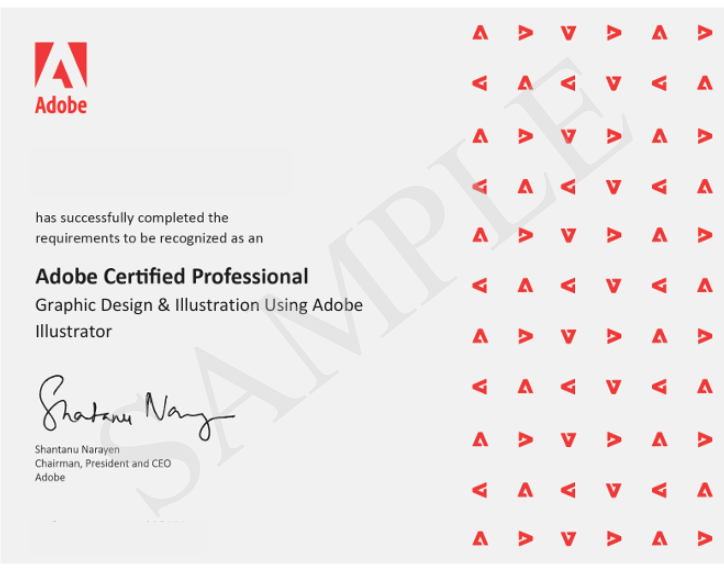
Certificate Example

Offered by CERTIPORT
Authorized Partner
- Due: 31 Dec 2026
- Type: Test
- Category: Adobe